


Trucker Guide: Truck Stops
4.1598.00 Reviews
App Specs
- Version
- 6.0.4
- Updated On
- License
- Free
- Downloads
- 100,000+
- Developer
- Trucker Guide
- Categories
- Maps & Navigation
- Platform
- Android
Screenshots
 Analysis by AppCompare
If you’re anything like me and spend more time on the road than at home, you know how crucial it is to have a reliable navigation app. Recently, I’ve been testing out Trucker Guide: Truck GPS Maps, and let me tell you, it’s been quite the journey. Let’s dive into this app and see what it’s all about.
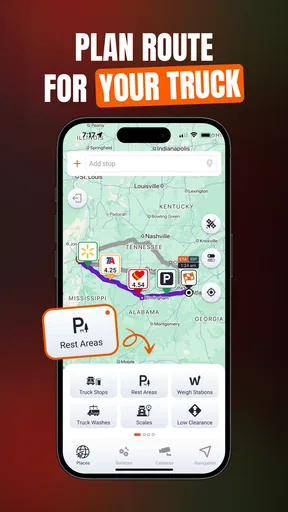
A practical baseline for planning a truck route
I find it helpful to think of truck navigation as a sequence rather than a single tap: check the destination, consider the vehicle and load, look over the route, then keep attention on driving instead of making last-second changes on a phone. A truck-focused map can make that routine more relevant than a general car navigator, but it still works best as a planning aid rather than permission to ignore road signs or a dispatcher’s instructions.
In a realistic workday, I might check the route before leaving a yard, note where truck stops or weigh stations appear, and then reassess if traffic changes the timing. That small habit matters because the nearest convenient stop is not always the best one for a particular rig or schedule. I would use the map to make an informed choice, then confirm that the approach and access suit the vehicle before committing to a turn.
Settings and checks that deserve attention
When a route depends on truck dimensions, the useful step is not merely turning on truck routing; it is making sure the vehicle details you enter reflect the truck you are driving. A route planned around the wrong height or weight can create false confidence. I’d also check the destination carefully, especially for a loading entrance or a site with multiple access roads, since a correct street address does not automatically mean the final approach is truck-friendly.
Traffic information is most useful when I treat it as a prompt to review the route, not an order to take the first suggested detour. A smaller road may look quicker on a screen but be less comfortable or suitable for a large vehicle. If the app presents an alternative, I would weigh the expected delay against the road type, restrictions, and the practical difficulty of turning around if the choice proves poor.
Offline map access can be valuable where mobile coverage is unreliable, but it is worth preparing before entering a weak-signal area. I would check that the maps needed for the trip are available ahead of time and leave room on the device for them. Offline navigation can help preserve continuity, yet it should not be treated as a live source for changing traffic or fresh closures.
Faster habits for repeat trips
For familiar routes, I would build a consistent pre-trip routine instead of relying on memory alone: verify the destination, review the route, identify a sensible stop, and start navigation before moving. Repeating those checks makes it easier to spot a surprising route choice while there is still time to reconsider it safely. It also reduces the temptation to handle settings while driving.
Worth Reading Before You Choose

EA SPORTS FC Mobile 26 Is a Bigger Football Game, but It Takes Time

Flipboard Shows What News Apps Must Do Beyond the Feed

Switching to Android Auto Means Rethinking Your Driving Routine

Google Calendar Makes a Crowded Week Easier to Manage

Ludo King Makes the Most of the Minutes Between Plans

Baby Panda World Brings Quick Play to Modern Phones, but Its Game Library Feels Busy
Truck-stop and fuel points are more useful when considered in context. Rather than waiting until the tank or schedule forces a decision, I’d look at the route early and keep a practical stop in mind. The right choice depends on the rig, available space, timing, and the driver’s needs; a point on a map is a lead to evaluate, not a guarantee that every facility will suit every truck.
For occasional drivers or someone moving from general navigation to a truck-specific tool, I would first try a familiar journey. It is a low-pressure way to see how the route presentation, voice guidance, and points of interest fit into a real drive. A known road also makes unusual instructions easier to notice before trusting the app on an unfamiliar delivery run.
Discovering the Trucking World
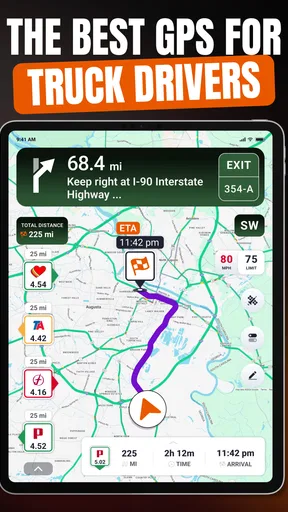
When I first opened Trucker Guide: Truck GPS Maps, I was immediately impressed by its clean and intuitive interface. It's designed specifically for truckers, which means it takes into account things like weight limits, low bridges, and truck-restricted areas. If you’ve ever tried to squeeze a semi down a narrow street or under a low bridge, you’ll know why this is a game-changer.
Features That Stand Out
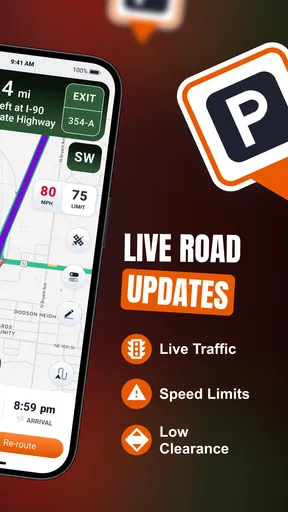
One of the coolest features is the ability to customize routes based on your truck’s dimensions. This helps avoid those unexpected surprises that can turn a smooth ride into a logistical nightmare. The app also provides real-time traffic updates, which is a huge plus. I mean, who wants to be stuck in a traffic jam when you could be cruising down a scenic route?
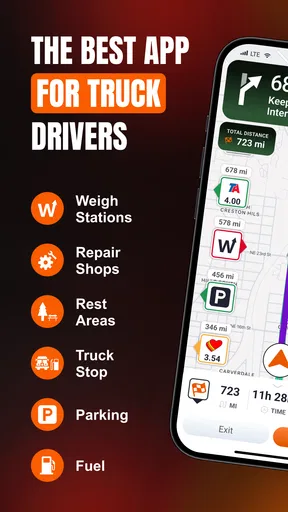
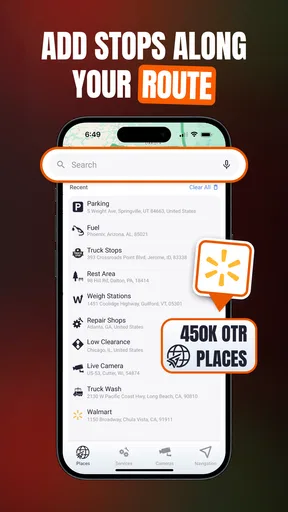
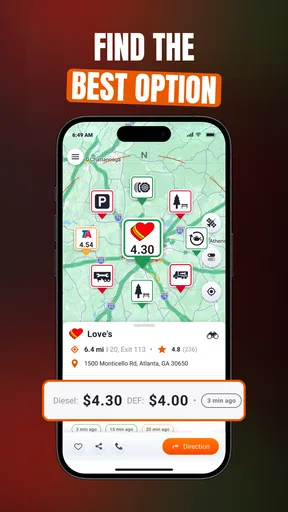
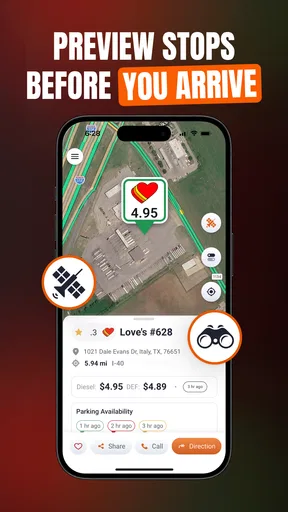
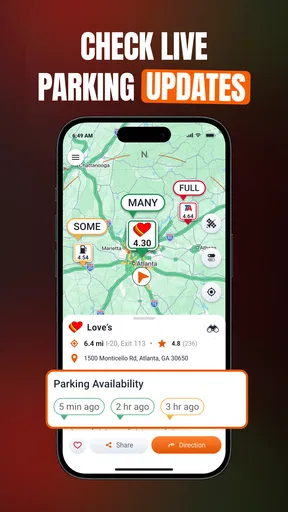
Another feature that I found particularly handy is the Points of Interest (POI) tailored for truckers. It includes truck stops, fuel stations, and rest areas. There’s nothing worse than realizing you’re low on fuel miles away from the nearest station, right?
How it fits among navigation choices
Compared with a usual car navigation app, a truck-focused route planner is intended to account for constraints that matter to a larger vehicle. That distinction is the main reason I would consider this app for trucking work rather than simply using the map already on my phone. General navigation can remain useful for walking, errands, and passenger-car trips, while this app’s truck-oriented planning and truck-related points of interest are more relevant when the vehicle itself changes which roads and stops make sense.
It is not a replacement for every source of road information. I would still pay attention to posted restrictions, worksite directions, and current instructions from the people managing a delivery. The app is most helpful as one part of that decision-making process: it can guide the journey and help identify options, while the driver remains responsible for judging whether a turn, road, or facility is appropriate.
User Experience on the Road
Using the app on the road was a breeze. The voice-guided navigation is clear and precise, allowing me to keep my eyes on the road rather than fiddling with my phone. It even warns you about upcoming steep inclines and sharp turns, which is incredibly useful when hauling heavy loads.
The offline maps feature is another lifesaver. There have been times when I've found myself in areas with spotty service, but thanks to this feature, I didn’t have to worry about losing my way.
Who will get the most from it
I see the strongest case for Trucker Guide in the hands of drivers who regularly need truck-aware routing, practical stop information, and navigation suited to work rather than everyday car trips. It can also be useful to a newer truck driver who wants a dedicated planning tool, provided they take time to check vehicle details and learn how its guidance behaves before relying on it under pressure.
It may be less compelling if you only drive a car, rarely travel unfamiliar roads, or already have a truck-navigation setup that fits your routine. In those situations, a simpler general map may be more convenient. Drivers who expect any app to guarantee safe access to every site should also temper that expectation: digital directions cannot replace checking signs, local conditions, and the actual entrance.
What Could Be Better?
While I’m a big fan of the app, there are a few areas where it could improve. For instance, sometimes the updates on road closures can be a bit delayed. It’s not a dealbreaker, but it’s something to keep in mind, especially if you’re on a tight schedule.
The app also takes up a fair amount of storage, which might be a concern for those with limited space on their devices. But hey, given all the features it packs, I think it’s worth it.
Limits that call for a second check
Those closure delays make a sensible backup habit especially important. Before a time-sensitive trip, I would check for current road information through an appropriate local source and avoid assuming that a route shown in the app reflects every change on the ground. If an unexpected closure appears while driving, I would stop somewhere safe before reviewing alternatives rather than trying to solve it in motion.
There is also a trade-off between having detailed map resources available and keeping enough free space on a phone for other essentials. If storage is tight, I would plan map availability around the journeys I actually make and remove material I no longer need when appropriate. That is a practical consideration for long-term use, not a reason to skip the app automatically.
The app is free to download, with in-app purchases listed from about fifteen dollars to around one hundred and twenty dollars per item. I would look at the purchase details in the app before paying and decide whether the included capabilities suit my work, rather than assuming every driver needs an upgrade. The free starting point makes it easier to judge the basic experience first, while the purchase range means it is worth being deliberate about optional spending.
What to expect before installing
Trucker Guide is a Maps & Navigation app from Trucker Guide. It has a 4.4 average from around two thousand ratings, with over one hundred thousand installs, and it is rated for everyone. Version 4.0.5 supports Android 6.0 and later. Those details make it accessible to a broad range of Android users, though I would still check that the particular phone has enough space and works comfortably as a navigation device.
A common practical question is whether it can help when service drops. The offline maps feature described in my experience is a clear advantage for keeping a route available in weak coverage, but I would prepare before the trip rather than wait until the signal disappears. Another reasonable question is whether it replaces a driver’s own checks. My answer is no: use the app for guidance, then obey road signs and verify site access when conditions call for it.
Final Thoughts
All in all, Trucker Guide: Truck GPS Maps is a solid choice for anyone in the trucking business. Its truck-specific features and reliable navigation make it a must-have for road warriors. Whether you’re a seasoned trucker or just starting out, this app is like having a co-pilot who knows the roads like the back of their hand.
If you’re ready to hit the road with confidence, I’d definitely recommend giving this app a spin. Safe travels!
My recommendation comes with one important qualification: treat it as a helpful companion, not an authority that can make every roadside decision for you. Its truck-oriented routing, traffic guidance, and relevant places can make trip planning feel more focused than using a standard car map, especially when you make the same checks before each departure. The delayed closure updates and storage demands are real trade-offs, so I would keep a second source of current road information in mind and prepare maps before a low-coverage stretch.
For a professional driver who wants a dedicated navigation option, or someone who frequently plans routes around a truck’s dimensions, it is worth trying. For a person who only needs occasional car directions, or a driver already satisfied with another truck-specific system, the extra app may not add enough value. My best advice is to test it on a familiar route, confirm the vehicle setup, and then decide whether its workflow earns a place in your daily routine.
Pros
- Comprehensive route planning for truckers.
- Real-time traffic updates enhance safety.
- Customizable routes based on truck size.
- Offline maps available for remote areas.
- User-friendly interface with quick navigation.
Cons
- Limited free features in the basic plan.
- Occasional GPS signal loss in rural areas.
- High battery consumption during use.
- Some routes may not be updated timely.
- In-app ads can be distracting.
FAQs for Trucker Guide: Truck Stops
What features does Trucker Guide: Truck GPS Maps offer?
Trucker Guide: Truck GPS Maps provides truck-specific navigation, including customized routes based on vehicle dimensions and load types. It offers real-time traffic updates, fuel station locations, and information on rest stops. The app is designed to help truckers avoid low bridges, narrow roads, and other restrictions, ensuring a safer and more efficient journey.
Is Trucker Guide: Truck GPS Maps available offline?
Yes, Trucker Guide: Truck GPS Maps offers offline capabilities. Users can download maps for specific regions, allowing navigation without a data connection. This feature is particularly useful in rural or remote areas with limited network coverage, ensuring that drivers are never stranded without guidance.
How accurate is the real-time traffic information in the app?
The app provides highly accurate real-time traffic updates by integrating data from multiple sources, including road sensors and user reports. These updates help drivers avoid congestion, accidents, and road closures, potentially saving time and fuel. However, as with any app, occasional discrepancies may occur due to rapidly changing road conditions.
Can the app be customized for different types of trucks?
Yes, Trucker Guide: Truck GPS Maps allows users to input specific truck details such as size, weight, and cargo type. This customization ensures that the app generates routes that are safe and compliant with local regulations, avoiding roads that are unsuitable for certain vehicles, like those with height restrictions or weight limits.
Is there a subscription fee for using Trucker Guide: Truck GPS Maps?
Trucker Guide: Truck GPS Maps offers a free basic version with essential features. For advanced functionalities like real-time traffic, offline maps, and premium support, a subscription fee is required. Users can choose from monthly or yearly plans, with a free trial available to explore premium features before committing.


